Support


Rockville
APM6B
APM6B
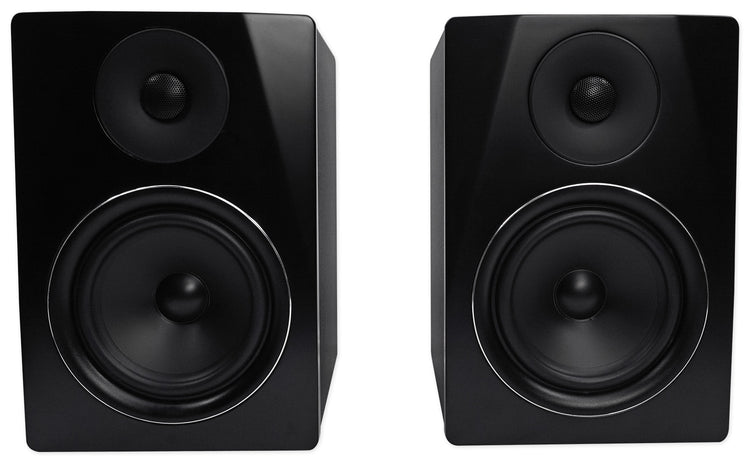
6.5" Bi-Amped Studio Monitor Pair, 350W Peak
Free Shipping
Regular price
$184.95
Sale price
$184.95
Regular price
$0.00
Unit price
per
Features
- Bi-amped 6.5" studio monitors deliver 350W peak power
- Premium MDF wood enclosure with elegant matte finish
- USB, RCA, XLR, and headphone outputs for flexible setup
- Includes proprietary noise-free speaker linking cable
- Rear-panel controls keep the look modern and uncluttered
Couldn't load pickup availability
What's Included in the box
- (2) 6.5" Bi-Amped Studio Monitors
- Proprietary 8.5' Speaker Linking Cable
- Power Plug
- User Manual
SKU: SKU: APM6B
View full details


Features
-
Bi-Amped Power for Precision
Dual amplifiers for highs and lows deliver 350W peak output, providing clear, dynamic sound across the spectrum.
-
Premium MDF Wood Enclosure
High-grade MDF construction with a 1\" front board enhances acoustic performance and adds a refined, modern look.
-
Versatile Connectivity
USB, RCA, XLR, and headphone outputs offer flexible integration with studio gear, computers, and audio devices.
-
Noise-Free Performance
Proprietary linking cable and advanced crossover network ensure stable, distortion-free playback—even at high volumes.
-
Elegant, Modern Design
Matte finish in multiple colors and rear-panel controls create a sophisticated presence in any studio or living space.